




Thinking about moving your website from Squarespace to WordPress? You’re certainly not alone. While Squarespace is a popular option for getting a website online, many businesses eventually find themselves restricted by its design limitations, ongoing subscription costs or lack of flexibility as their requirements grow.
The short answer: Yes, migrating from Squarespace to WordPress can be worthwhile, particularly if you want greater control over your website, more design freedom and room to grow.
WordPress is free, open-source software that allows you to choose your hosting provider, customise your website, manage content and have a large e-commerce store without being tied to one website-building platform.
However, switching isn’t as simple as exporting your pages and importing them somewhere else. A poorly managed migration can result in broken pages, lost functionality and potentially serious damage to your Google rankings.
In this guide, I’ll cover the advantages, disadvantages, costs and SEO considerations of moving from Squarespace to WordPress, helping you decide whether switching platforms is the right move for your business.
How Do I Migrate from Squarespace to WordPress?
Moving from Squarespace to WordPress involves transferring your existing website content, rebuilding its design and functionality, and carefully transitioning your domain and SEO settings.
Squarespace does provide an export feature that allows certain content to be transferred into WordPress. However, it’s important to understand that you can’t simply export your entire Squarespace website and recreate it automatically in WordPress.
Elements such as styling, custom layouts, certain page types, navigation features and eCommerce functionality generally need to be rebuilt or configured separately.
A typical migration involves:
Auditing your existing website: Reviewing your pages, Google rankings, traffic, content and functionality to determine what needs to be preserved.
Setting up your WordPress environment: Choosing a hosting provider, installing WordPress and preparing a private development environment.
Migrating website content: Transferring available text, blog posts, products, images and all other relevant assets.
Rebuilding the website design: Recreating or improving the visual appearance, navigation, mobile layouts and functionality.
Preparing the SEO migration: Preserving important URLs wherever possible and preparing 301 redirects for any URLs that need to change. This part is vital to a successful migration.
Testing and launching: Checking forms, links, mobile layouts, page speed, analytics and search engine settings before switching to the new website.
Monitoring after launch: Reviewing Google Search Console, website traffic and technical issues to identify anything requiring attention.
For a small website, this may be relatively straightforward. For a larger website with dozens or hundreds of pages, established Google rankings or eCommerce functionality, considerably more planning is required.
At Northside Digital, we handle the technical work involved in a website redesign or platform migration, so you don’t need to worry about learning WordPress or managing a complicated website transfer yourself.
What Are the Benefits of Moving from Squarespace to WordPress?
Squarespace is a capable website builder, but WordPress offers several advantages for businesses that want greater flexibility and control.
You’ll Haver Greater Design Freedom
One of the biggest benefits is the ability to build a website without being restricted by the design options available within a particular website builder.
Squarespace offers attractive templates and a visual editing interface, but creating highly customised layouts or functionality can sometimes require workarounds or custom coding, particularly when version 7.1 is involved, as it’s simply not built for complex landing page layouts.
With WordPress, designers can create bespoke page layouts, interactive features, custom navigation systems and more advanced website experiences.
Your business shouldn’t have to compromise its website design simply because your platform doesn’t support something.
You’ll Have Much More Control Over SEO
Just to be clear – both platforms can support well-optimised websites. However, WordPress generally offers greater flexibility for implementing advanced technical SEO requirements.
With the right setup, you can control page metadata, redirects, structured data, canonical tags, internal linking and other important technical elements.
This can be particularly useful for businesses with larger websites, multiple service pages or ongoing SEO campaigns.
Flexibility as Your Business Grows
Your website might only need five pages today, but what happens when your business expands? It’s hard to future proof a website on Squarespace and if or when it eventually has hundreds of pages, it can be really difficult to manage and keep up to date.
WordPress supports everything from simple brochure websites to online shops, booking systems, membership websites and more complex business applications.
You can add functionality as your requirements change rather than having to migrate to another website platform again.
Freedom to Choose Your Hosting Provider
Unlike Squarespace, self-hosted WordPress doesn’t tie your website to a single hosting company.
You can move between compatible hosting providers, change developers or upgrade your hosting as your business grows.
That freedom can be valuable when comparing ongoing costs, website performance and support options.
What Are the Disadvantages of Migrating to WordPress?
WordPress isn’t automatically the best solution for every business, and it’s worth considering the disadvantages before making the switch.
Maintenance responsibilities: WordPress websites require ongoing software updates, backups and security monitoring. Squarespace manages much of this infrastructure for you.
More setup involved: A WordPress website requires hosting, a theme or design framework, and potentially additional plugins. The initial setup can be more involved than using an all-in-one website builder.
Plugin management: WordPress plugins make it possible to add almost any functionality, but installing too many or choosing poorly maintained plugins can introduce performance and security issues.
Migration costs: Switching platforms usually involves rebuilding at least part of your website, which can require an upfront investment.
For businesses with a basic website that they’re happy with, there may be no compelling reason to move.
However, if you’re constantly finding yourself restricted by Squarespace, the additional flexibility offered by WordPress may outweigh these disadvantages.
"Many clients I've spoken with over the years almost had a 'fear' of using WordPress, thinking that it's really complex to use. It can be! But if you work with the right developer, they will build your dashboard and tutor you so you can feel as confident managing your website on WordPress as you do with Squarespace.:
David @ Northside
Is WordPress Outdated in 2026 and Beyond?
Absolutely not. WordPress has been around since 2003, which sometimes leads people to assume it’s an ageing platform being replaced by newer website builders and AI tools.
As of 19 October 2026, WordPress powers approximately 39.6% of all websites worldwide, making it the most widely used content management system (CMS).
In reality, WordPress continues to be actively developed and supports an enormous range of modern websites.
Its open-source ecosystem includes thousands of plugins, themes, development tools and integrations, making it one of the most adaptable website platforms available.
Modern WordPress websites can include responsive designs, interactive animations, eCommerce functionality, advanced booking systems and integrations with AI services.
Of course, not every WordPress website is modern.
An outdated theme, unnecessary plugins or poor development practices can leave a website looking and performing like something from 2010.
But that’s a problem with how the website has been built, not with WordPress itself.
Should I Move from Squarespace to an AI Website Builder Instead?
AI website builders have improved significantly, allowing businesses to generate website layouts, content and imagery with relatively little manual work. It’s scary.
For a simple website or an early-stage business, these tools can be an attractive option – I won’t lie – sometimes they are the right choice to make.
However, there’s an important difference between generating a website and building one that consistently delivers results for a business.
AI tools can produce attractive designs, but they don’t automatically guarantee effective navigation, strong SEO foundations, accurate conversion tracking or a website structure designed around your customers.
Some AI platforms also have limitations around customisation, code access and transferring your website elsewhere.
Before choosing an AI website builder, consider whether you’ll be able to:
Export and move your website if you change providers.
Edit page layouts and functionality without platform restrictions.
Manage technical SEO requirements and URL redirects.
Integrate third-party tools and booking systems.
Maintain and expand the website as your business grows.
AI can certainly play a valuable role in web design. In fact, it’s increasingly useful for speeding up development and content production.
But for established businesses, the important question isn’t how quickly a website can be generated. It’s whether the finished website is suitable for your customers and long-term business objectives.
WordPress can provide a strong foundation while still allowing businesses to benefit from new AI technologies.
"The important thing to remember is that AI is the tool that you use to build - you need to give it direction, and not the other way around. You could pass me bricks, sand and cement and I could build a house, or give me a pack of crayons and I could try to replicate the Sistine Chapel. You can imagine what the outcome would be!"
David @ Northside
Is WordPress Difficult to Learn and Manage?
WordPress has a reputation for being complicated, but much of that comes down to how the website has been built.
A poorly organised WordPress dashboard filled with unnecessary plugins, settings and confusing menus can be frustrating and overwhelming if you’re not familiar with it.
A properly configured website, on the other hand, can be very straightforward to manage – even more so than Squarespace, believe it or not.
At Northside Digital, we build WordPress websites with the business owner in mind.
We handle the complicated work behind the scenes, leaving you with a website that’s easy to update and manage.
That means you can focus on everyday tasks such as updating text, changing images, publishing blog posts or adding new content without needing to understand coding or website development.
We can also provide ongoing website management if you’d prefer not to deal with updates, maintenance or technical changes.
You don’t necessarily need to become a WordPress expert just because your business runs on WordPress.
Is WordPress Cheaper Than Squarespace?
It can be, but the answer depends on the type of website you’re running and how you choose to maintain it.
Squarespace works on a subscription model, where your hosting and access to its website-building tools are bundled into a recurring fee.
Self-hosted WordPress works differently.
The WordPress software itself is free, but you still need website hosting and a domain name. Depending on your requirements, you might also pay for premium themes, plugins or professional website maintenance.
Here’s a simple comparison:
| Cost | Squarespace | Self-Hosted WordPress |
|---|---|---|
| Website software | Included in subscription | Free |
| Hosting | Included | Paid separately |
| Domain | Separate or included with qualifying offers | Usually paid separately |
| Premium features | May require higher plans or paid add-ons | Free or paid plugins |
| Website maintenance | Core platform managed | Your responsibility or managed service |
| Professional design | Optional additional cost | Optional additional cost |
A straightforward WordPress website with modest hosting requirements can sometimes cost less to run than an equivalent Squarespace website.
However, a WordPress website using multiple premium plugins and a comprehensive maintenance package could cost more.
The biggest difference is flexibility. With WordPress, you have considerably more freedom to choose which services you pay for and who provides them.
Are WordPress Websites More Expensive to Design Than Squarespace Websites?
Not necessarily. In fact, you may be surprised by how much some professionally designed Squarespace websites cost.
There’s a misconception that because Squarespace is a template-based website builder, having a professional website designed on the platform should automatically be cheaper.
That isn’t always the case.
Some Squarespace designers charge substantial fees for customisation, branding, content layouts and website setup.
And while talented designers can create excellent Squarespace websites, they’re still working within the platform’s underlying framework. WordPress provides greater scope to develop customised layouts and functionality, often without the same restrictions.
This doesn’t mean every WordPress website is cheaper, or that a Squarespace designer can’t produce something exceptional.
A fully bespoke WordPress build with complex functionality can be expensive too.
The important thing is the value you’re getting for your investment.
If two websites cost a similar amount, but one offers greater design flexibility, easier future expansion and more control over hosting and technical features, that’s worth considering.
At Northside Digital, we focus on building websites that look professional, work properly and support your business goals, without unnecessary agency overheads.

Do I Need a Subscription or Contract to Use WordPress?
No. Self-hosted WordPress does not require you to pay a subscription or enter into a contract with WordPress itself.
The software is open-source and free to use. However, every live website needs somewhere to be hosted, and hosting providers generally charge monthly or annual fees.
You may also choose to pay for premium plugins, software licences or website maintenance – these are classed as separate services, rather than a mandatory WordPress subscription.
It’s also worth distinguishing between WordPress.org and WordPress.com.
WordPress.org provides the open-source software used for self-hosted websites. WordPress.com is a managed hosting service offering its own plans and features.
At Northside Digital, we build self-hosted WordPress websites, giving businesses greater control over their hosting arrangements and ongoing support. We also offer optional website hosting and maintenance, so you can leave the technical side to us if you prefer.
Do I Actually Own My Website on Squarespace or WordPress?
This is one of the most misunderstood differences between the two platforms.
When you create a website on Squarespace, you generally retain ownership of the original content you create, such as your text, photographs and branding, subject to any third-party licences.
You can also own and control your domain name.
However, you don’t own the Squarespace platform, its proprietary website-building software or the underlying infrastructure used to operate your website.
So basically your website depends on Squarespace’s systems and the terms of your subscription.
If you decide to leave, you can take certain content with you, but you cannot simply transfer the entire Squarespace website, including its design and functionality, to another hosting provider.
With self-hosted WordPress, the situation is different. Because WordPress is open-source software, you can take copies of your website files and database and move them to another compatible hosting provider.
You aren’t dependent on one company to keep your website operating.
There may still be licensing considerations for premium plugins, fonts or other third-party assets, but you have much greater control over the website itself.
For business owners investing significant money into their online presence, this distinction is worth understanding. Your website is an important business asset and you should have as much control over it as possible.
Will I Lose My Google Rankings When Migrating from Squarespace to WordPress?
You can lose Google rankings and organic traffic when migrating from Squarespace to WordPress, particularly if the migration is handled badly. However, switching platforms does not automatically mean losing your SEO.
This is probably the single most important consideration for any established business thinking about migrating its website.
Imagine you’ve spent years building up your website’s visibility in Google.
You have service pages ranking for valuable keywords, blog posts generating traffic and backlinks from other websites.
Now imagine launching your shiny new WordPress website only to discover that those pages have disappeared, their URLs have changed and Google can no longer find the content it previously ranked.
That’s a very real risk with a poorly planned website migration.
What Can Go Wrong During a Website Migration?
Some of the most common SEO migration mistakes include:
Missing 301 redirects: If an established page changes its URL without a redirect, visitors and search engines may encounter a 404 error instead of reaching the new page. Getting this wrong can be absolutely catastrophic.
Important content being removed: Removing well-performing pages or substantially changing their content can affect rankings for keywords those pages previously targeted.
Missing page titles and descriptions: Failing to carry over important SEO metadata can change how your pages are presented and understood in search results.
Broken internal links: Links pointing to outdated or deleted pages create a frustrating experience for visitors and make it harder for search engines to navigate your website.
Incorrect indexing settings: A website accidentally launched with a noindex directive can prevent important pages from appearing in Google.
Poorly managed technical changes: Changes to canonical URLs, website structure, mobile performance or other technical elements can introduce additional problems.
For a business that depends on organic search traffic, these mistakes can be costly.
How Can You Protect Your SEO When Moving to WordPress?
A successful website migration starts well before the new website goes live.
At Northside Digital, we treat SEO migration as a core part of the website redevelopment process, not something to think about after launch.
Our approach includes reviewing your existing Google Search Console data, identifying valuable pages and understanding which content currently attracts visitors.
Where possible, we preserve existing URLs to minimise unnecessary changes.
When URLs do need to be changed, we create a clear mapping structure between the old pages and their new destinations, implementing appropriate 301 redirects to preserve SEO signals.
We also review important SEO elements such as page titles, headings, internal links, canonical URLs, indexing settings and XML sitemaps.
Before launch, we test the new website to identify problems. After launch, we monitor search performance, crawling and indexing to catch issues early.
Can You Guarantee I Won’t Lose Rankings?
No responsible SEO professional should guarantee that your Google rankings will remain completely unchanged during a website migration.
Even when everything is handled correctly, temporary ranking fluctuations can happen while Google recrawls and processes your website.
The objective is to minimise unnecessary disruption, preserve existing SEO value wherever possible and give the new website the strongest possible foundation for future growth.
A successful migration can also create opportunities to improve your SEO by addressing existing content, performance and website-structure problems.
If your website currently generates enquiries through Google, this is not an area where we’d recommend cutting corners.
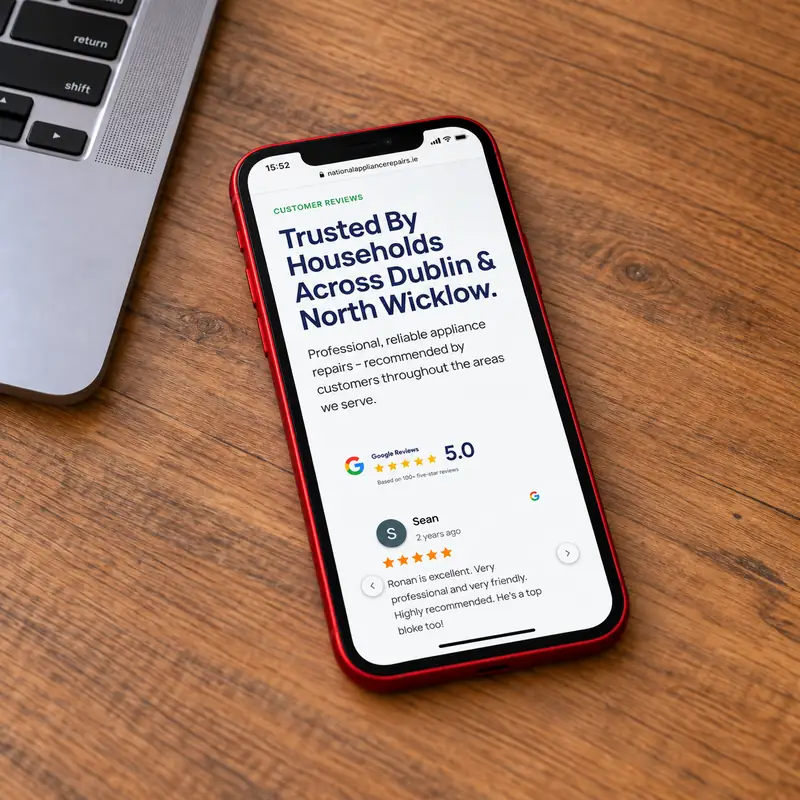
An Example of SEO-Focused Website Migration
Our work on the National Appliance Repairs website redesign involved rebuilding an established business website while accounting for its existing search visibility.
The project included reviewing legacy pages, restructuring service content and implementing redirects to preserve valuable existing URLs.
It demonstrates why website redesign and SEO migration need to be planned together – a better-looking website means very little if your customers can no longer find it.
Can I Move from WordPress Back to Squarespace?
Yes. Moving from WordPress to Squarespace is possible, although you’ll encounter some of the same challenges involved in moving in the opposite direction.
Squarespace provides tools to import certain content from WordPress, but your complete website design, plugins and custom functionality won’t automatically transfer.
Depending on the website, you may need to recreate page layouts, replace integrations and adapt functionality to work within Squarespace.
You’ll also need to consider your existing URLs and SEO rankings.
One of the advantages of self-hosted WordPress is that you aren’t restricted to staying with it.
If you decide another platform better suits your needs in future, you have the freedom to move.
Just make sure the migration is carefully planned.
Should I Consider Wix, Weebly or Webflow Instead?
WordPress and Squarespace aren’t your only choices when it comes to website design.
There are several website-building platforms worth considering, each with advantages and limitations.
Wix
Wix is an all-in-one website builder with visual editing tools and a wide selection of features. It can be a good option for smaller businesses looking for a relatively straightforward way to manage a website.
However, like Squarespace, Wix operates within its own hosted ecosystem, meaning you don’t have the same freedom to move your complete website to another hosting provider.
Weebly
Weebly has traditionally focused on simple websites and small business eCommerce.
It can suit basic requirements, but businesses planning a more advanced website should carefully consider the platform’s functionality, development options and longer-term suitability.
Webflow
Webflow provides sophisticated visual design tools and is capable of producing highly customised websites.
It’s particularly attractive to designers who want substantial control over layouts and interactions without building everything through traditional development methods.
However, its editing experience, hosting arrangements and pricing structure may not be ideal for every small business.
Should I Hire a Professional to Migrate My Squarespace Website?
If you have a small website with little existing traffic, moving from Squarespace to WordPress yourself may be achievable with some time and research.
However, if your website generates enquiries, has established Google rankings or relies on important business functionality, we’d strongly recommend professional assistance.
A website migration involves considerably more than copying content from one platform to another.
You need to consider design, performance, functionality, hosting, domains, redirects, technical SEO and how everything works together.
And mistakes aren’t always immediately obvious – a missing redirect might go unnoticed until a valuable page disappears from Google. A broken form might mean you’re losing enquiries without realising it.
Working with someone experienced in website redesigns and SEO migrations helps reduce those risks.
At Northside Digital, we manage the process from the initial website audit through to the WordPress rebuild, launch and post-migration checks.
We’ll also make sure your new website is straightforward to manage, with optional ongoing hosting and maintenance if you’d rather leave the technical work to us.
Is Moving from Squarespace to WordPress the Right Decision for Your Business?
Ultimately, it depends on what you want your website to achieve.
If Squarespace is doing everything you need, your website performs well and you’re happy with the costs, there may be no reason to switch.
But if you’re struggling with design restrictions, limited functionality, website management or the flexibility to grow, moving to WordPress could be a worthwhile investment.
The key is to approach the project as an opportunity to improve your website rather than simply changing platforms.
A successful migration should leave you with a website that’s better designed, easier to manage and properly prepared for your business’s future.
Thinking about moving from Squarespace to WordPress?
At Northside Digital, we help businesses across Dublin and Ireland redesign, rebuild and migrate their websites, with a strong focus on usability, performance and protecting existing SEO.
Get in touch with Northside Digital to discuss your existing Squarespace website and find out whether WordPress is the right next step.






 How can we help?