


DIY - Google Business Profile Optimisation
Get ahead of the crowd with our Google Business Profile Checklist.
We’ve put together some of the key tips for ensuring your Google Business profile is set up for success.
Northside Google Profile Guide.
Google Business Profile Basics; Why This Actually Matters.
Most businesses set up their Google Business Profile once… and leave it at that.
That’s where the problem starts.
If you’re not actively managing it:
- You won’t show up when people are searching locally
- You’ll lose out to competitors who are keeping theirs updated
- You’re missing easy wins that bring in calls and enquiries
This checklist gives you the basics to stay on top of it — without overcomplicating things.
Share The List:

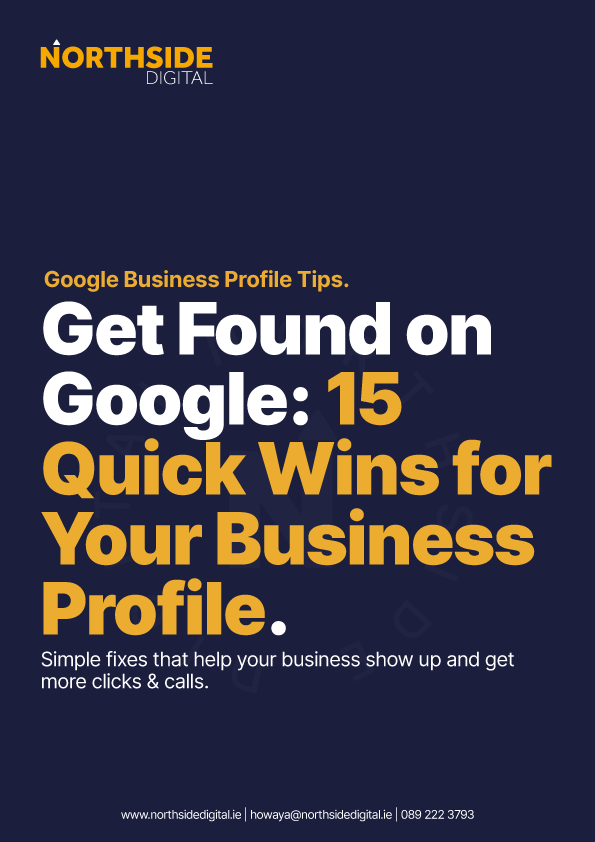
Most businesses set up their Google Business Profile once and forget about it - that’s why they don’t show up when it matters.
These quick tips gives you simple, practical ways to improve your visibility, attract more local customers, and turn searches into real calls, enquiries, and jobs for your business.
Choose The Right Business Type (This is Critical).
Before setting anything up, decide how your business actually operates. If you visit customers, you’re a service area business. If customers come to you, you’re a location business. This choice affects how your listing appears, whether your address is shown, and how you compete in local search results.
Service Area Vs Location – Know The Difference
A service area business hides its address and shows the areas you serve, making it ideal for trades and mobile services. A location business displays a physical address where customers can visit.
Location listings often perform stronger in Maps, but only use one if your premises is genuinely staffed during opening hours – you don’t want customers knocking on your door at dinner time.
Don’t Fake A Location!
It might be tempting to use a home address or rented office to appear more established, but this goes against Google’s guidelines. If flagged, your listing can be suspended or removed entirely. It’s always safer to set up correctly as a service area business than risk losing your profile and starting from scratch.
Verification: How You Get Approved.
Google requires verification to confirm your business is legitimate. Most businesses are now asked to complete video verification, though some may still receive postcard or phone options (very rare in 2026).
Follow the instructions carefully and complete the process promptly, as delays or mistakes can hold up your listing going live and being eligible to rank.
Video Verification Tips (This Trips People Up).
For video verification, you’ll need to show clear proof your business exists and that you’re associated with it. This usually includes signage, tools, your workspace, or branded materials.
The video must be recorded in one continuous take. Keep it natural and straightforward, and avoid editing or cutting, as this can cause rejection.
If your video is rejected, you’ll likely have to do a live verification call with a Google agent to finalise verification.
We know it can be a pain in the arse to setup, optimise and maintain your GPB. Give us a shout and we'll look after setting up & optimising your Google Business profile.
Set Your Business Name Properly.
Use your real, registered business name when setting up your profile. Avoid adding extra keywords or locations to try and rank better.
While you might see competitors doing it, it goes against Google’s guidelines and can lead to penalties. A clean, consistent business name builds long-term trust and avoids unnecessary risk.
Choose The Right Primary Category.
Your primary category is one of the strongest ranking signals in your profile. It tells Google exactly what your business does and which searches you should appear for. Choose the closest possible match to your core service. You can add supporting categories later (recommended), but the primary one should be your main focus.
Set Your Service Areas (If Applicable).
If you operate as a service area business, you’ll need to define the locations you cover. Focus on realistic areas where you actually work, rather than trying to cover entire regions.
Being specific helps Google better understand your relevance and improves your chances of appearing in local searches within those areas.
Keep your selections as tight and realistic as possible, if you overload it unneccessarily, you’ll water down your local area strength.
Add Accurate Opening Hours.
Your opening hours should reflect when you’re genuinely available to respond to customers. Incorrect or outdated hours can frustrate users and reduce trust in your business. Google also values accuracy, so keeping this information updated, especially around holidays or busy periods helps maintain credibility and improves user experience.
Use A Consistent Name, Address & Phone Number (NAP).
Use a name, address & phone number that customers can reliably reach you on, and make sure it matches what’s listed on your website and other directories.
Consistency across platforms helps Google trust your business information and strengthens your local SEO. Avoid constantly changing numbers, as this can create confusion and weaken your presence.
Use A QR Code On Business Cards.
Adding a QR code to your business card makes leaving a review effortless. Customers can scan it instantly without searching for your business. This removes friction and increases the chances they’ll actually follow through, especially for in-person jobs where you can hand it over on the spot.
Ask For Reviews At The Right Time.
Timing makes a huge difference. Ask for a review straight after you’ve delivered a good result, when the customer is happiest. Don’t leave it too long or they’ll forget.
A quick, casual ask at the right moment can massively increase your chances of getting a positive review.
Text / Email Customers Your Review Link
Sending your review link by text is one of the easiest and most effective ways to get feedback. It’s quick, direct, and easy for customers to act on. A simple message with a polite ask and a link can generate far more reviews than hoping they’ll find your business themselves.
Aim For 10 Reviews (Secret Boost).
Getting to around 10 genuine reviews can give your profile an early boost in visibility and trust. It shows Google your business is active and credible.
While more is always better, hitting this first milestone quickly can help you start appearing more consistently in local search results.
Keep Reviews Coming In Constantly.
Don’t stop once you’ve got a few reviews. Google looks at consistency over time, not just total numbers. A steady flow of new reviews signals that your business is active and relevant, helping maintain and improve your rankings while building ongoing trust with potential customers.
Want us to look after your profile setup? Give us a shout it you need help setting & optimising your Google Business profile, or check out our Search Engine Optimisation services if you need more.
Get In Touch With Northside Digital.
Tell us about your project and we’ll come back to you with recommendations, pricing and next steps.
- Local Dublin Agency
- Google Business Profile Strategies Tailored To Your Needs
- No obligation quote or consultation
Chat On WhatsApp
Northside Digital.
Everything You Need under one roof.
Your brand is what people judge before they ever speak to ya. We build logos, colours and visuals that make you look sharp, trustworthy, and miles ahead of the lad down the road.
From business cards to flyers and everything in between: if it’s going in someone’s hand, it better look right. Clean, professional print that actually makes people take you seriously.
Your website should do more than just sit there looking pretty. We build fast, mobile-friendly sites that turn visitors into customers. No messing, just results.
What’s the point of a great website if no one can find it? We get you showing up where it matters; bringing in real traffic, real leads, and real business.

 How can we help?